

Uber Eats: Food and Grocery review
 Analysis by GetAllApps
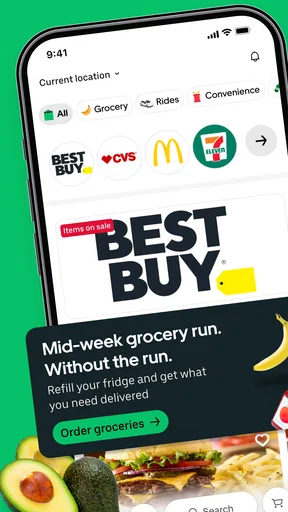
I think of Uber Eats as a convenient option for solving an immediate food problem, not as a guarantee that every order will be the cheapest or quickest choice. It is a free Food & Drink app from Uber Technologies, Inc., and it brings restaurant orders together with grocery and everyday-essentials shopping. Its broader connection to Uber rides can also make it useful when I want food and transport in one familiar app, though the two needs remain different decisions.
That range is the main reason to consider it. If I am hungry after work, I can look for a prepared meal; if I have run out of a few basics, I can check whether grocery or essentials delivery suits the errand. The app is rated for Everyone, and its reach is substantial: it has passed 100 million installs, with an average rating of 4.6 from around 8 million ratings. Those figures suggest broad use, but they do not tell me whether a particular restaurant, shop, or delivery option will work well where I live.
What free access does—and does not—tell me
The app itself is free to install. That makes trying it a low-commitment choice: I can browse what is available before deciding whether placing an order makes sense. I would not confuse that with free food or free delivery, however. A free app is only the starting point; the cost of an actual order depends on what I choose and what the checkout shows for that order.
For me, the sensible habit is to compare the final amount, not just the menu price. I check the basket and delivery details before confirming, especially when ordering a single inexpensive item or adding groceries to a meal order. A small order can feel less appealing once all the charges shown at checkout are considered. If the total no longer seems worth the convenience, I can switch to pickup, cook something at home, or use a nearby shop instead.
That approach matters because the app serves different kinds of errands. A restaurant meal, a grocery basket, and a quick essentials order are not automatically comparable purchases. I decide what problem I am solving first, then judge whether delivery is worth paying for in that situation. This is more useful than assuming that one service will always beat local alternatives on price.
Convenience is the value, not a guaranteed bargain
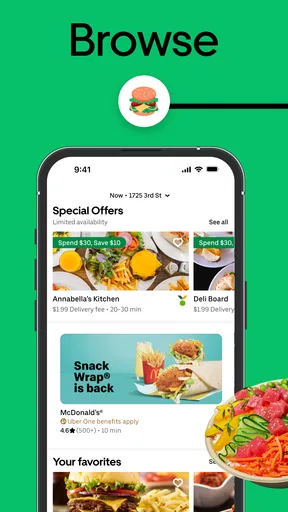
The strongest value I see is having a way to discover and order food or essentials without making a separate trip. When I am busy, tired, or unable to leave easily, that can matter more than saving every possible dollar. The app also gives me a single place to look across different kinds of orders, which can reduce the effort of deciding where to start.
That convenience is conditional. It depends on useful local availability, a total I am comfortable with, and a delivery window that fits my plans. I would not treat the app as a replacement for checking the nearby options I already know. If I am flexible about dinner, a walk to a local restaurant or a supermarket run may be better value. If I need a specific item immediately, I should also consider whether a nearby store is more predictable than waiting for delivery.
There is a practical way to use the app without letting browsing turn into an impulse purchase: decide on a budget and a short list before opening it. For groceries, I make a small, specific basket rather than treating the screen as a general shopping trip. For restaurant food, I compare a complete meal rather than focusing on the cheapest headline item. This keeps the convenience useful while making the final total easier to judge.
Restaurant orders and grocery errands call for different checks
When I am choosing a restaurant meal, I look at the menu as a whole and ask whether the order makes sense for the number of people eating. A single entrée delivered by itself may not be as satisfying in value as a shared order, while adding extras just to make the basket feel complete can push the cost in the wrong direction. I prefer to decide what we actually want before adding anything else.
Groceries need a different kind of attention. I use delivery for a planned list or a few essentials when saving a trip is the point, rather than assuming it is the best way to stock an entire kitchen. Before committing, I review substitutions or item choices presented during the ordering flow and make sure the basket still fits the need. For a detailed weekly shop, a supermarket’s own ordering option may be more familiar or better suited to how I compare products.
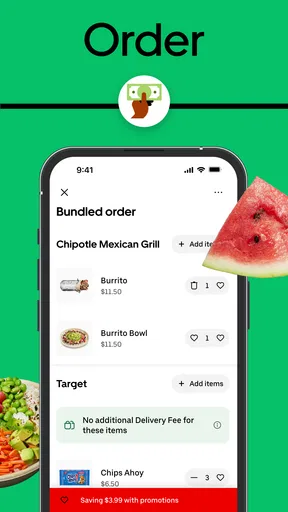
A useful trade-off is combining errands only when it genuinely simplifies them. If I need dinner and a couple of household basics, having both types of shopping in one app could be convenient. But combining orders simply because the option exists can make it harder to keep track of what I am spending. I would rather place the order that solves the immediate problem and leave less urgent items for a planned shop.
Where the experience can become frustrating
Delivery depends on local choices and the circumstances of the order, so the app cannot make every area feel equally well served. A restaurant I want may not be available, a grocery selection may not match what I expected, or the timing may not fit a tight schedule. I treat the displayed options as a way to assess what is possible now, not as a promise that every order will suit me.
There is also a difference between easy browsing and easy decision-making. Seeing restaurants and shops in one place can save time, but plenty of choices can make a simple dinner feel like a comparison project. I narrow the search by deciding on cuisine or the kind of errand first. That small step helps me avoid scrolling through options that were never relevant.
For time-sensitive plans, I am cautious about relying on delivery as the only solution. If guests are arriving soon or I have a fixed break, pickup or buying something nearby may give me more control. For an order with a strict budget, cooking at home or shopping in person may be the better call. The app is most useful when the convenience itself justifies the expense and I have enough flexibility to choose among available options.
Everyday situations where I would reach for it
Imagine I finish work late, have nothing ready for dinner, and do not want another trip. I would use the restaurant side to find a meal that suits the evening, check the full basket before paying, and place the order only if the cost and timing work. If the options are poor, I would not keep searching just because the app is open; I would switch to a simpler local alternative.
On another day, I might be missing a few basics before making breakfast. That is a more focused grocery use: list the items, check what is available, and decide whether delivery saves enough effort to be worthwhile. It is less compelling for a large, price-sensitive shop where I want to inspect products and compare choices in person. These examples show why I value the app as a flexible tool rather than a default for every meal or errand.
The ride option can be useful in a different moment—for instance, when I am already thinking about how to get somewhere and want to access Uber’s ride service from the same app environment. I see that as a convenience of having related services together, not as a reason to order food. Keeping those choices separate helps me judge each one on its own cost and usefulness.
Who is likely to get the most from it
I would recommend trying it to people who often need restaurant delivery, want to check local grocery or essentials options, or value avoiding an extra trip. It can be especially handy for someone managing an unpredictable day, because a prepared meal and a small essentials order solve different problems without requiring a new app for each kind of errand. The best fit still depends on what is available nearby.
It is less attractive for someone whose main priority is always the lowest possible food cost, who prefers choosing groceries in person, or who lives where the available selection does not meet their needs. It may also be unnecessary if a favorite local restaurant or supermarket already has a more convenient ordering routine. I would compare those familiar alternatives rather than assuming that a broad app is automatically the best route.
The app has been available since February 29, 2016, and its large audience gives me a reason to take it seriously as a mainstream option, not proof that every individual order will be smooth. Its 384,000 reviews add another sign that many people have used it, but broad popularity cannot replace checking the terms and options for my own order. I judge it by whether it helps with a real need at a total I accept.
My verdict: try it, then let the order earn its place
My recommendation is a measured yes. Since installing the app costs nothing, I think it is reasonable to explore its restaurant, grocery, and essentials options and see whether they are useful locally. I would keep it for moments when saving time or avoiding a trip has real value, and I would check the checkout total before treating any order as a good deal.
The app earns its place when convenience solves a specific problem at a price I am willing to pay. I would skip an order when the basket feels inflated, the selection is weak, or a nearby alternative is simpler. That is the honest way I would use Uber Eats: as a practical option in the mix, not a promise of cheaper food or a substitute for every shop and meal.
Pros and cons
Pros
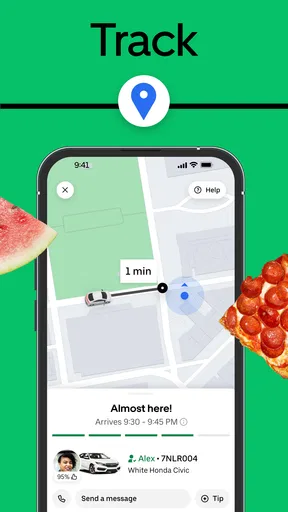
- Live order tracking shows where your courier is during delivery.
- Scheduled delivery helps you plan meals ahead of time.
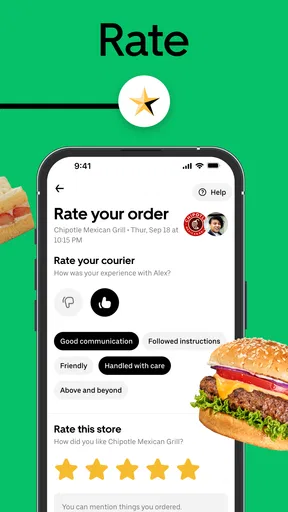
- Restaurant ratings and customer reviews support informed choices.
- Contactless delivery is available in many areas.
- Reordering makes it easy to buy from past favorites.
Cons
- Delivery fees and service charges can raise the total cost.
- Restaurant and grocery availability varies by location.
- Busy periods can lead to longer delivery times.
- Promotions may have minimum spend or other conditions.
- Refunds for missing or incorrect items may take time to resolve.


